What it is for#
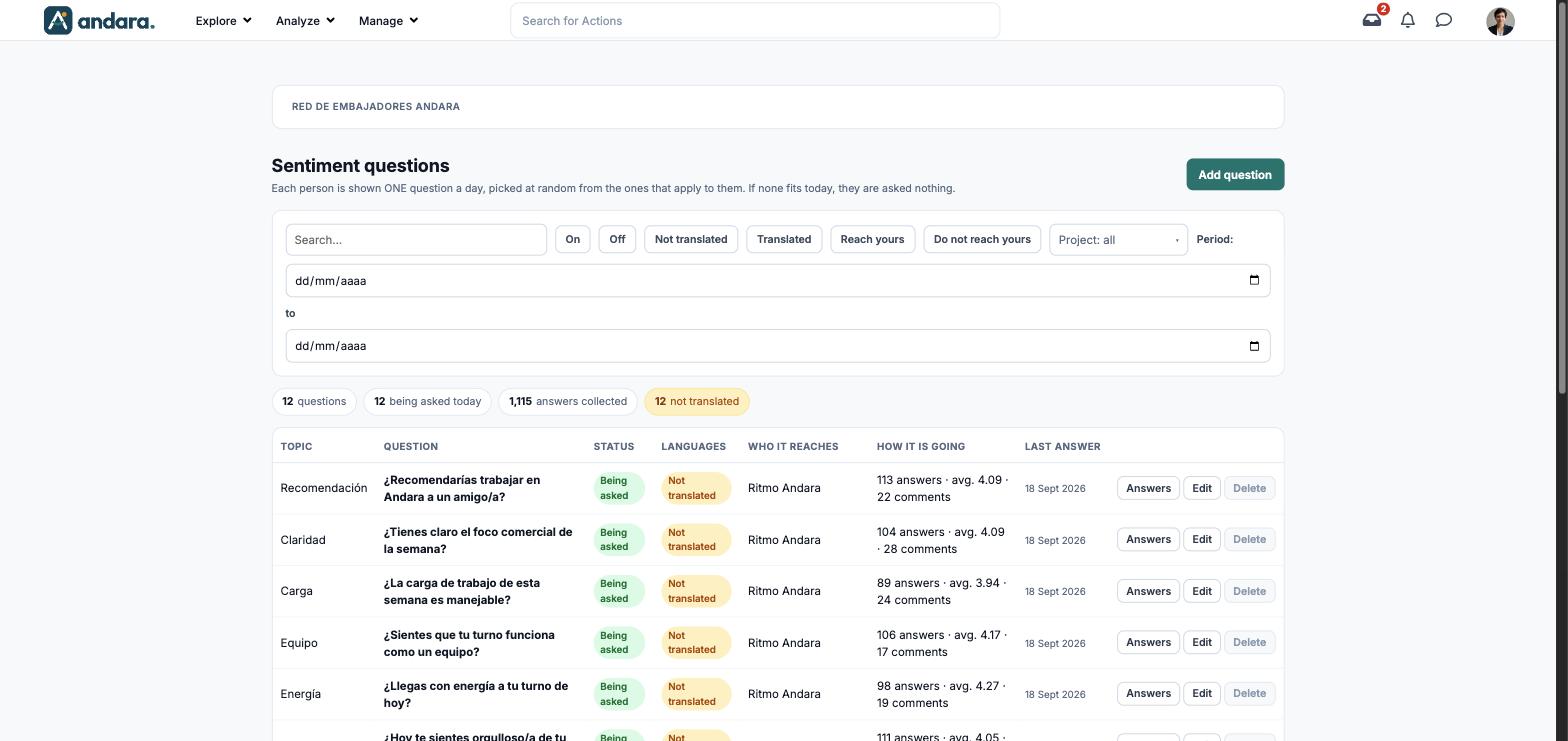
This is where you keep the question bank for the pulse. Each person is shown one question a day, picked at random from the ones that apply to them; if none fits that day, they are asked nothing.
From the same screen you see how each question is going (answers, average and comments) and you can read its comments, lowest scores first.
Where it is: Manage › Surveys › Sentiment Analysis Questions.
What you see#
The name of the project you are in is shown at the top.
| Element | What it shows |
|---|---|
| Search… | Filters the list as you type. |
| On / Off | Shows only the questions in the daily draw, or only those switched off. |
| Not translated / Translated | Splits questions by whether they have their English version. |
| Reach yours / Do not reach yours | Shows only the questions asked in your project, or only those that are not. |
| Project: all | Shows only the questions from one of your company's projects. |
| Period: | Two dates (from and to) to narrow down a period. |
| N questions | How many questions match the current filters. |
| N being asked today | How many are in today's draw. |
| N answers collected | Total answers to those questions. |
| N not translated | How many have no English version. |
| Topic | The topic the question is grouped under. |
| Question | The wording. |
| Status | Being asked when it is on and within its dates. |
| Languages | Not translated if the English is missing. |
| Who it reaches | The projects where it is asked. |
| How it is going | Answers, average and number of comments. |
| Last answer | When it was last answered. |
| Answers | Opens the question's answers. |
| Edit | Opens the question form. |
| Delete | Removes the question. It is disabled if the question already has answers: hovering over it explains that deleting it would leave those comments with no question, and that switching it off is fine. |
| Add question | Opens a blank form. |
Settings#
Question form#
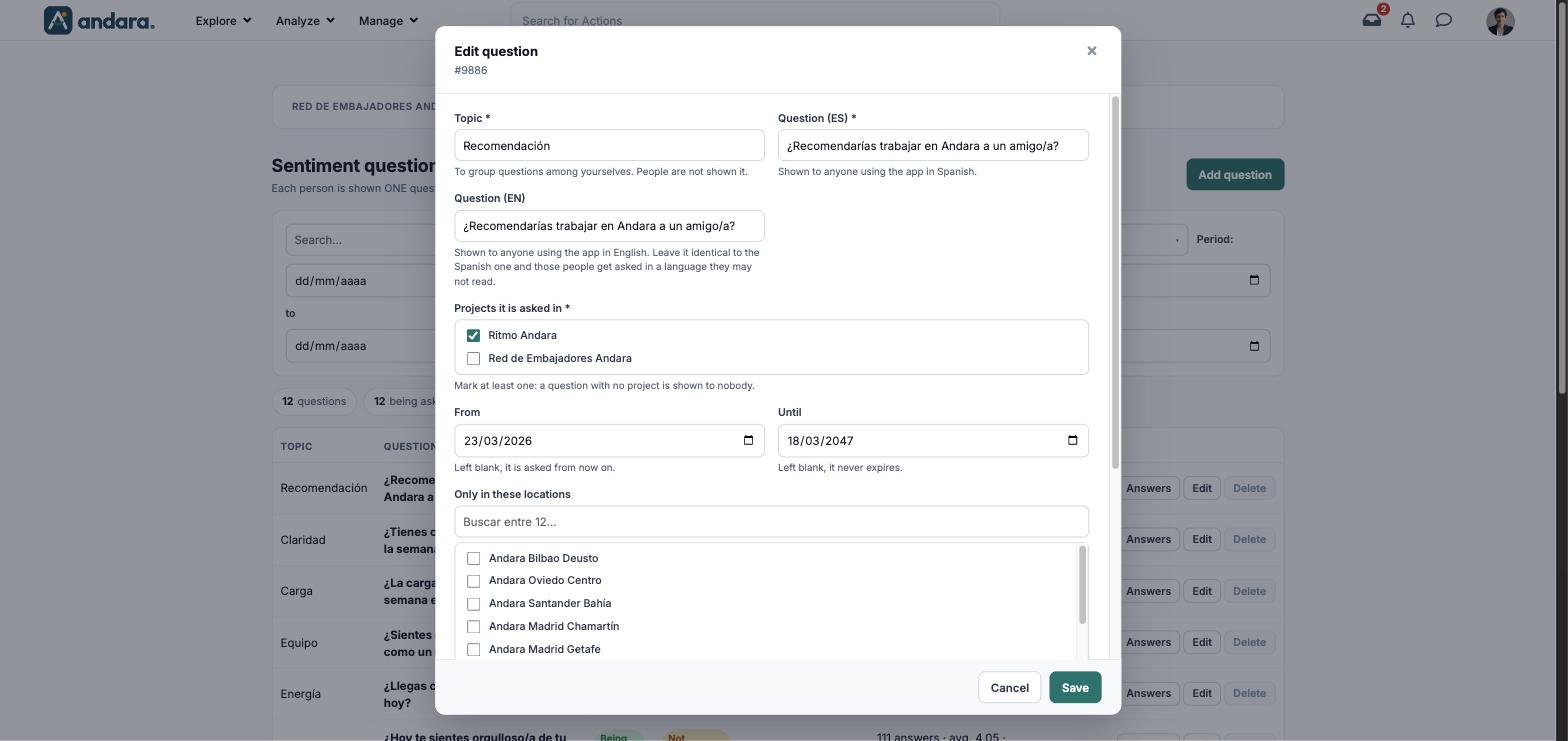
The form is the same to create (New question) and to edit (Edit question, with its number under the title).
| Field | What it does | Values |
|---|---|---|
| Topic | To group questions among administrators. People are not shown it. | Text. Required. |
| Question (ES) | Shown to anyone using the app in Spanish. | Text. Required. |
| Question (EN) | Shown to anyone using the app in English. Leave it identical to the Spanish one and those people get asked in a language they may not read. | Text. |
| Projects it is asked in | Which projects it is drawn in. Tick at least one: a question with no project is shown to nobody. | Tick boxes with your company's projects. Required. |
| From | When it starts being asked. Left blank, it is asked from now on. | Date. |
| Until | When it stops being asked. Left blank, it never expires. | Date. |
| Field | What it does | Values |
|---|---|---|
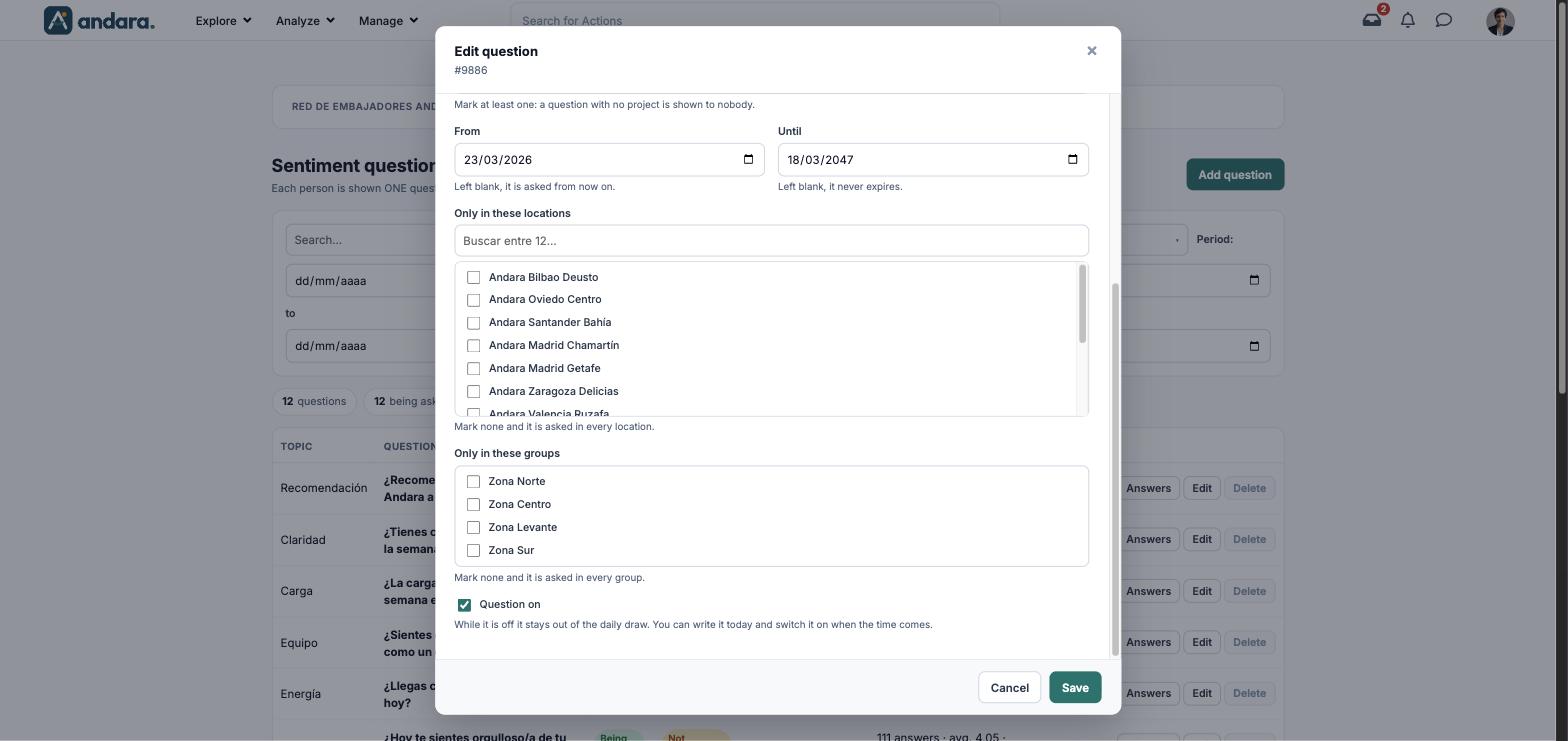
| Only in these locations | Limits the question to some locations. With none ticked, it is asked in every location. | Tick boxes with the locations, with a search box. |
| Only in these groups | Limits the question to some structure groups. With none ticked, it is asked in every group. | Tick boxes with the groups in Organisations. |
| Question on | While it is off it stays out of the daily draw. You can write it today and switch it on when the time comes. | Tick box. Unticked in a new question. |
Answers#
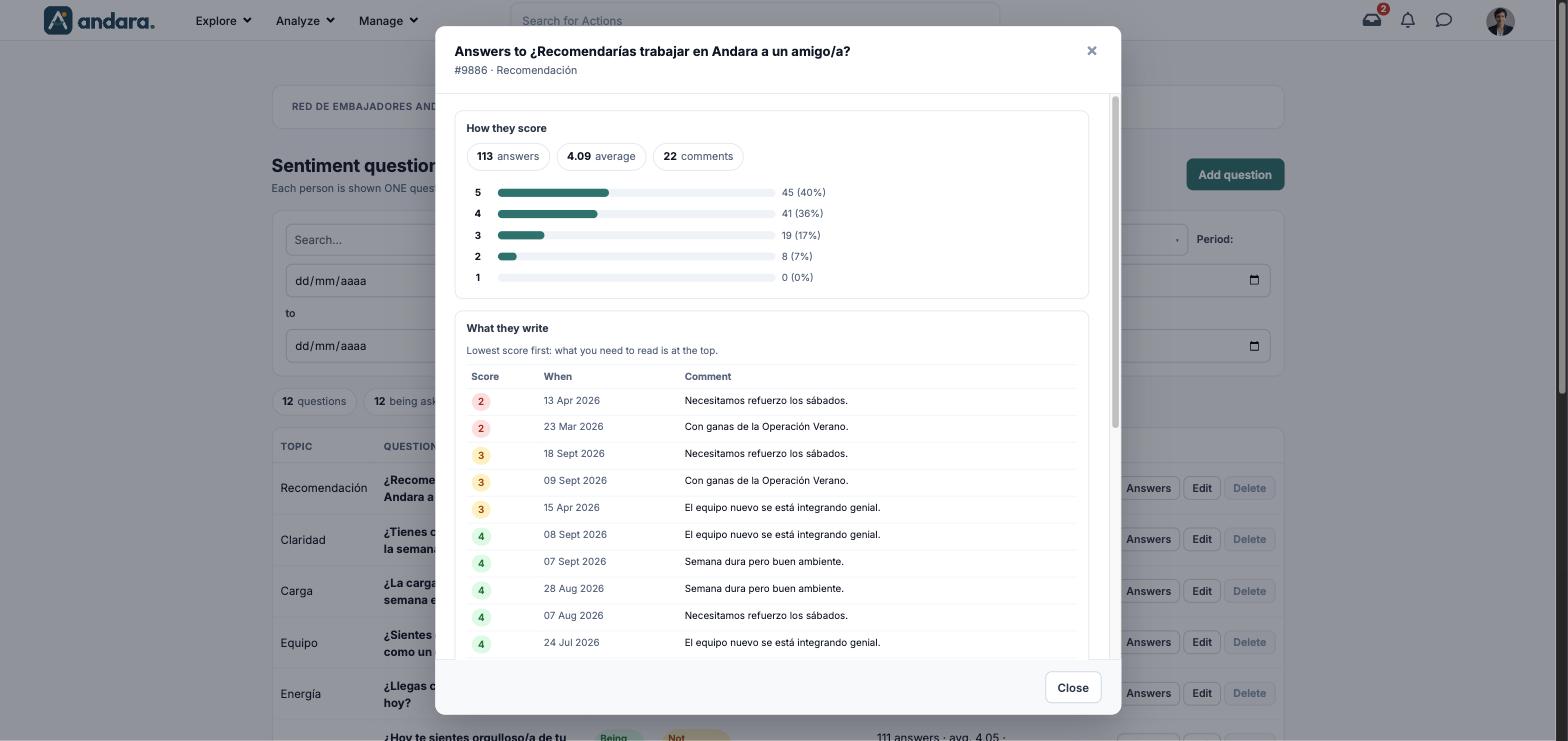
The Answers button opens Answers to “question”, with the number and topic under the title. It is read only:
| Element | What it shows |
|---|---|
| How they score | Answers, average and comments, and how many answers there are for each score from 5 to 1, with their percentage. |
| What they write | The comments, lowest score first: what you need to read is at the top. Columns Score, When and Comment. |
How to#
Add a question to the pulse#
- 1
Open a new form
Click Add question.
- 2
Write the question
Set the Topic, the Question (ES) and its translation in Question (EN).
- 3
Decide where it is asked
Tick at least one project under Projects it is asked in and, if needed, narrow it down with locations and groups.
- 4
Switch it on and save
Tick Question on and click Save. A new question starts switched off.
Retire a question#
- 1
Open it
Click Edit on its row.
- 2
Switch it off
Untick Question on and click Save. It stops being asked the same day and the history is kept.
Read what people answer#
- 1
Open the answers
Click Answers on the question's row.
- 2
Start at the top
In What they write, comments with the lowest scores come first.
Things to know#
- A question with answers cannot be deleted, only switched off. That way its comments do not lose their question.
- A new question starts switched off. If you do not tick Question on, it stays out of the draw.
- With no project ticked it is shown to nobody.
- Translate the English. If Question (EN) is the same as the Spanish, anyone using the app in English gets the question in Spanish. The Not translated filter finds them for you.
- Changing the wording of a question with answers changes its meaning after the fact. If you want to measure something else, switch it off and create another one.
Related#
- Pulse and sentiment: how to read the pulse.
- Surveys, quizzes and climate: pulse versus surveys.
- Surveys.
- Pulse dashboard: the aggregated results.