What it is for#
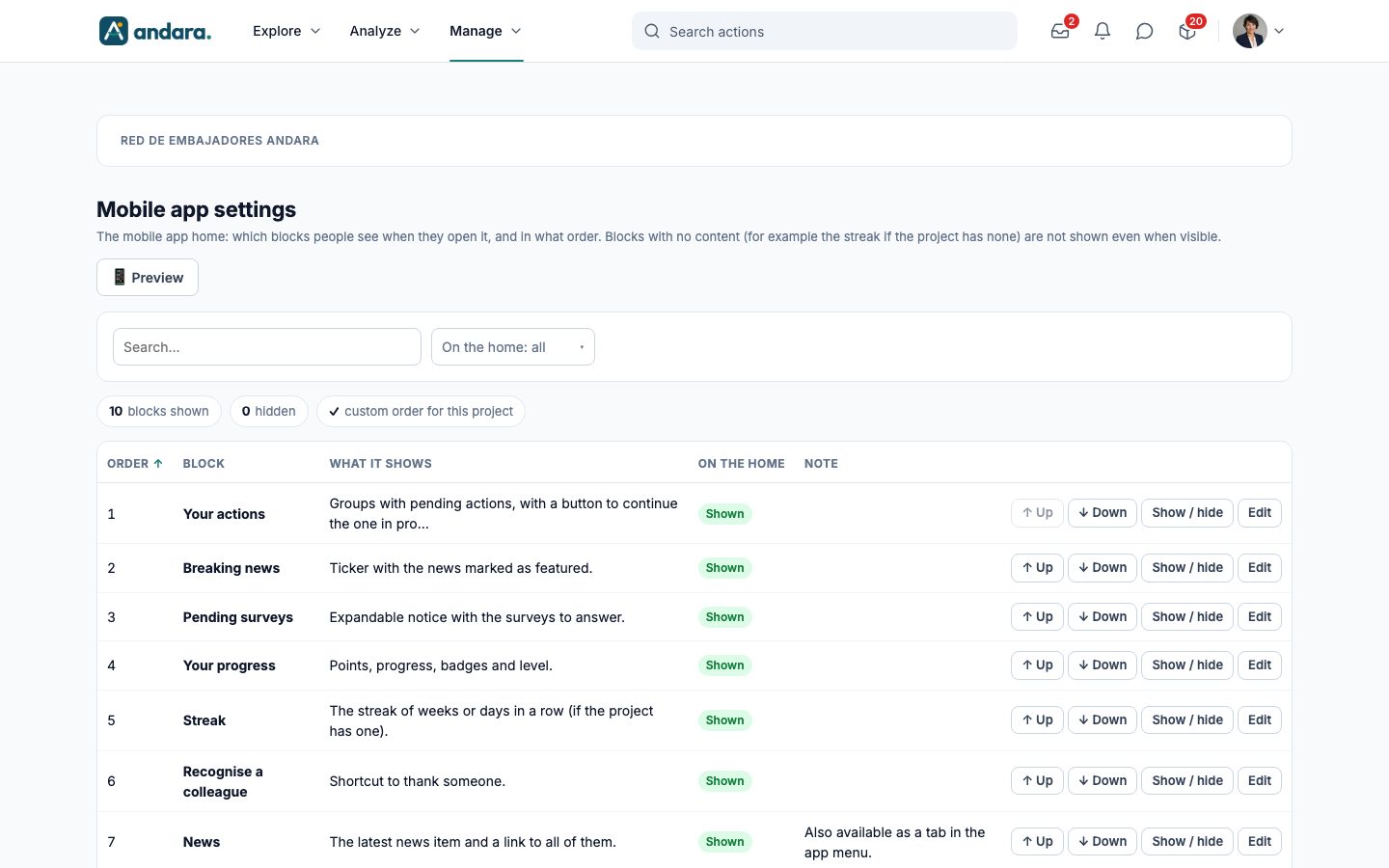
This is where you decide what the project's mobile app home looks like: which blocks people see when they open it and in what order. You can move each block up or down, hide the ones you do not want and check the result in a phone preview.
The greeting always stays at the top; the blocks go below it. A block with no content (for example the streak if the project has none) is not shown even when it is visible.
Where it is: Manage › Configuration › Mobile app settings.
What you see#
The name of the project you are in appears at the top: the settings belong to that project.
| Element | What it shows |
|---|---|
| 📱 Preview | Opens a phone on the right with your real home. |
| Search… | Filters the list as you type. |
| On the home: all | Drop-down: keeps only the blocks Shown on the home or Hidden. |
| N blocks shown / N hidden | How many blocks are shown and how many you have hidden. |
| custom order for this project | Ticked when the project has its own order instead of the standard one. |
| Order | The block's position. 1 is the first, right below the greeting. |
| Block | The block's name. |
| What it shows | What that block shows on the home. |
| On the home | Shown or Hidden. |
| Note | Notes about the block; for example, that News is also a tab in the App menu. |
| ↑ Up / ↓ Down | Move the block one position. Up is disabled on the first one. |
| Show / hide | Switches the block between Shown and Hidden. |
| Edit | Opens the block's form. |
The blocks#
| Block | What it shows |
|---|---|
| Your actions | Groups with pending actions, with a button to continue the one the person has in progress. |
| Breaking news | Ticker with the news marked as featured. |
| Pending surveys | Expandable notice with the surveys to answer. |
| Your progress | Points, progress, badges and level. |
| Streak | The streak of weeks or days in a row, if the project has one. |
| Recognise a colleague | Shortcut to thank someone. |
| News | The latest news item and a link to all of them. |
| Featured | Featured action groups, with cover and progress, and promoted actions. |
| Team challenges | The active team challenges: how many have completed them and the bonus. |
| Leaderboard | Monthly and all-time top 3, and the person's position. |
Settings#
Edit block#
The form is titled Edit block, with its number below.
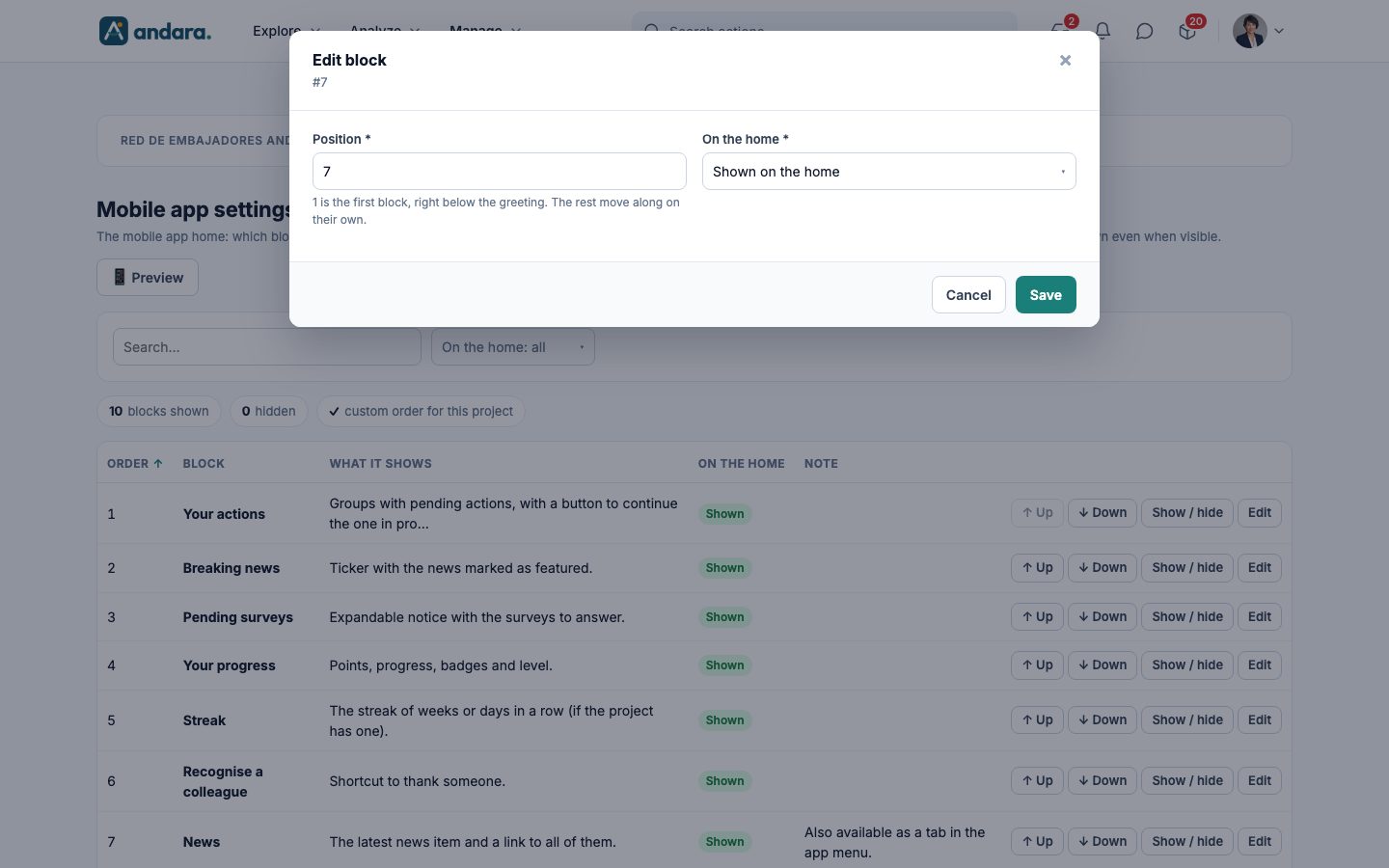
| Field | What it does | Values |
|---|---|---|
| Position | The block's place on the home. The rest move along on their own. | Required. Number. 1 is the first block, right below the greeting. |
| On the home | Whether the block is shown. | Required. Shown on the home or Hidden. |
Stored with Save.
Preview#
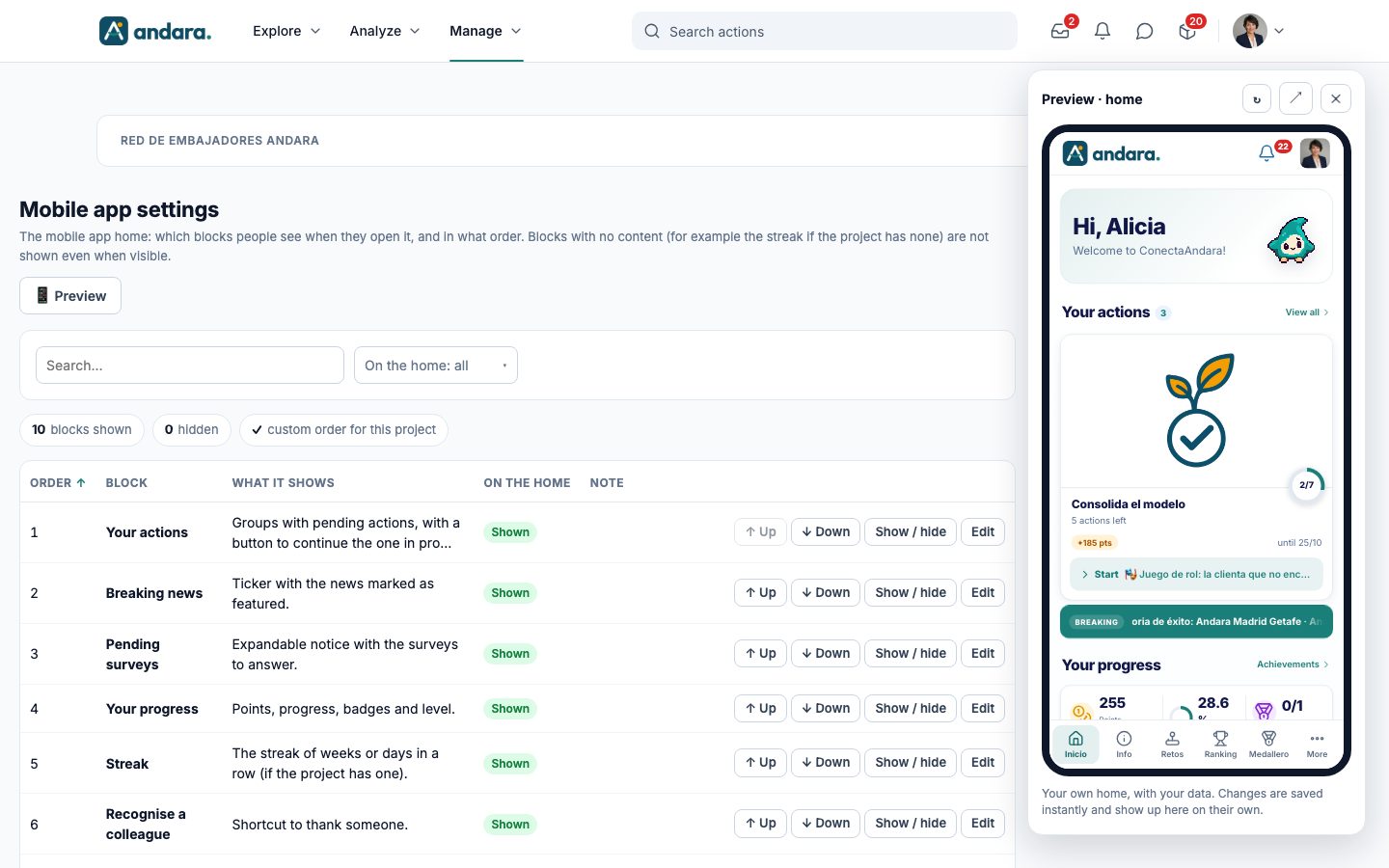
The Preview · home panel shows your own home, with your data, at phone size. It has three buttons at the top: ↻ (reload), ↗ (open the home in a new tab) and ✕ (close; Escape also closes it). Changes are saved instantly and the preview updates on its own.
How to#
Change the order of the home#
- 1
Open the preview
Press 📱 Preview to see the result while you work.
- 2
Move the blocks
Press ↑ Up or ↓ Down on the block's row. To move it far in one go, press Edit, type the Position and press Save.
- 3
Check
The list and the preview update straight away. There is nothing else to save.
Hide a block#
- 1
Hide it
Press Show / hide on its row. It becomes Hidden and no longer appears on the home.
- 2
To bring it back
Press Show / hide again. It goes back to Shown in the same position.
Things to know#
- Changes apply instantly: Up, Down and Show / hide save without asking for confirmation, and people see them the next time they open the home.
- Hiding a block does not delete its content. If you hide News, make sure people have another way to reach it, for example a tab in the App menu.
- A visible block may not appear if it has nothing to show (no streak, no pending surveys, no active challenges…).
- The preview is your home: it shows what you would see, with your actions and your data, not someone else's.
Related#
- App menu: the app's tabs.
- Project home page: the texts, banner, mascot and icons of the home.
- Streak: the streak shown by the Streak block.