What it is for#
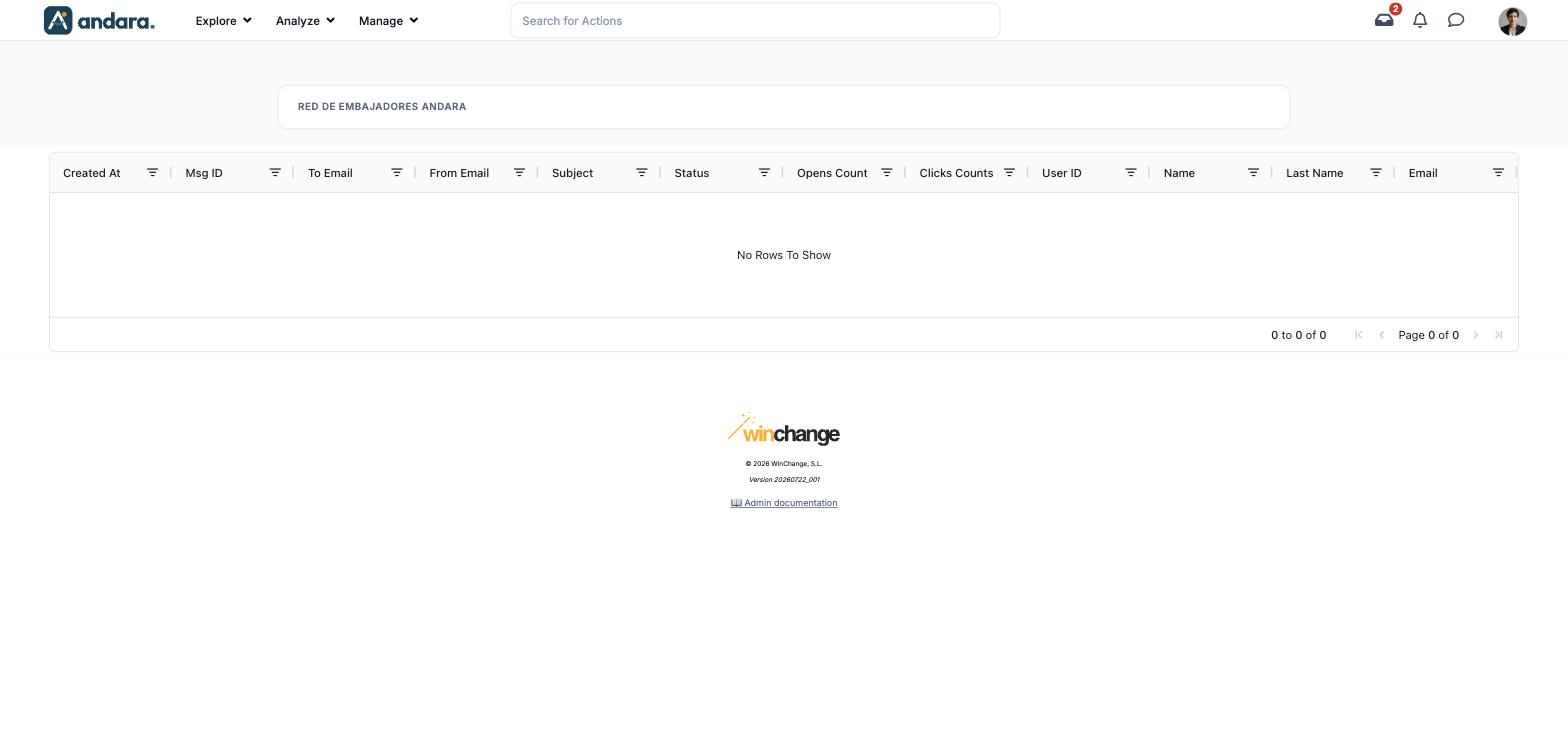
Every email the programme has sent is recorded here: to whom, from which address, with what subject, whether it was delivered and how many times it was opened. It is where to look when someone says an invitation or a password reset never arrived.
It is read-only: no email is written, resent or retried from here.
Where it is: Manage › Notifications › Email - Log.
What you see#
The name of the project you are in appears at the top.
| Element | What it shows |
|---|---|
| Created At | When the email went out. |
| Msg ID | The sending ID. It is what the WinChange team needs if something has to be investigated. |
| To Email | The recipient. |
| From Email | The sender. |
| Subject | The subject. |
| Status | How the sending ended: delivered, bounced or on its way. |
| Opens Count | How many times it was opened. |
| Clicks Counts | How many clicks it got. |
| User ID | The internal number of the programme member it belongs to. |
| Name / Last Name / Email | Who that person is in the programme. |
| Column filter | The icon next to each heading filters by that column. Clicking the heading sorts. |
| Pagination | Bottom right, with the arrows to change page. |
In the demo the table is empty (No Rows To Show).
Settings#
There is nothing to configure: it is a lookup screen.
How to#
Check whether someone received an email#
- 1
Look it up
Filter To Email with their address.
- 2
Check the status
Status tells you whether it was delivered. If Opens Count is above zero, they also opened it.
- 3
If it bounced
Check the address is spelt correctly in their Users profile. If it is, give the Msg ID to the WinChange team.
Things to know#
- The log runs behind. A freshly sent email takes a few minutes to appear.
- It only records what has already gone out. Emails are not written in the panel: they are sent automatically from other parts of the programme, such as invitations or password resets.
- Column headings are in English in both versions of the interface.
Related#
- Notifications and email: the channels to reach people.
- Users: correcting someone's email.
- Send Push Notifications: the other channel, to the phone.