What it is for#
This is where you create action reminders: a banner with a sentence shown to someone when they open the app if any of the actions inside the reminder is still pending for them. They are for bringing back people who stalled halfway, not for announcing new content.
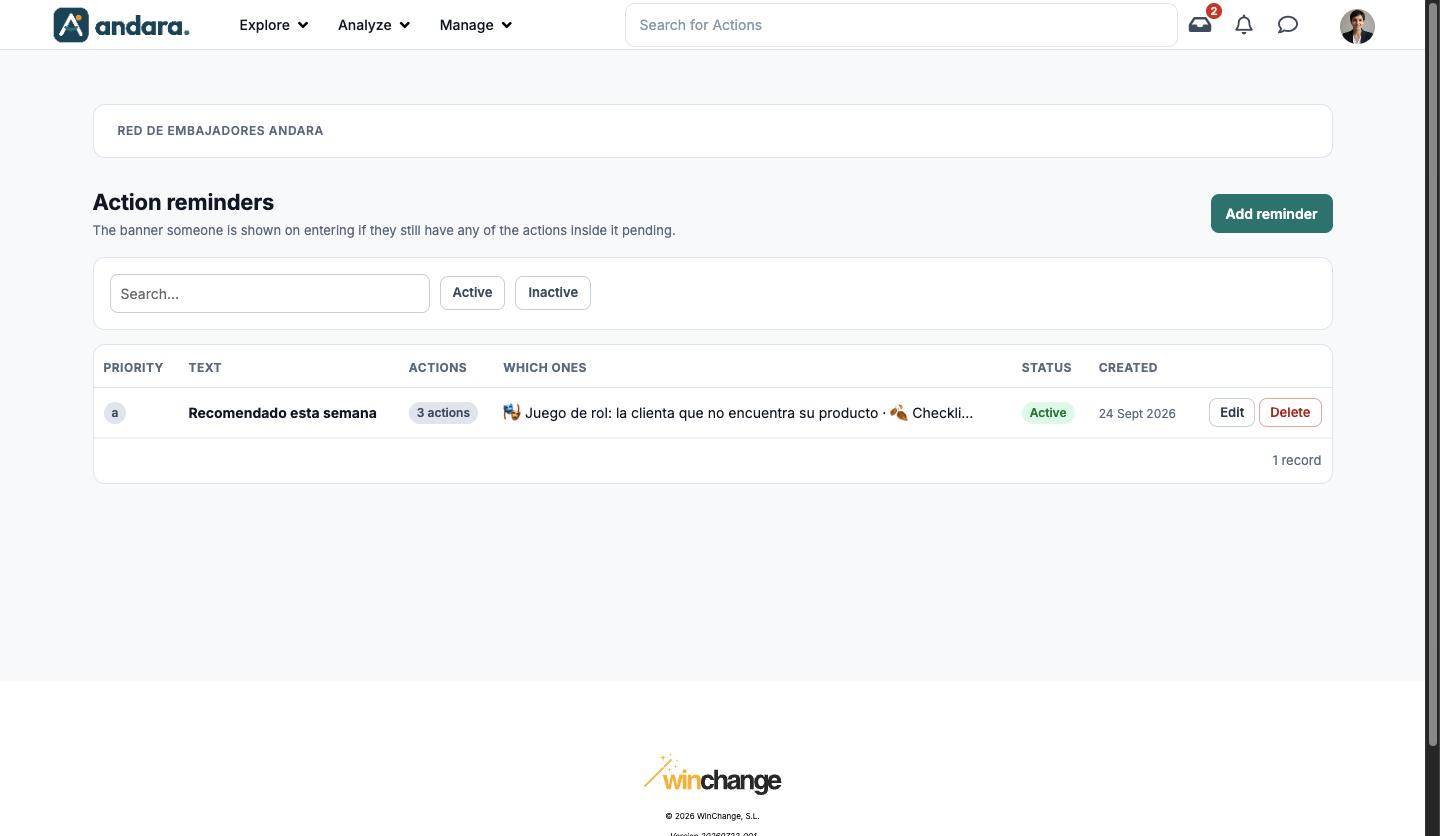
The screen is titled Action reminders.
Where it is: Manage › Journeys › Action Displays.
What you see#
| Element | What it shows |
|---|---|
| Search… | Filters the list as you type. |
| Active / Inactive | Keeps only the reminders that are switched on, or only those switched off. |
| Priority | The value that orders this list. |
| Text | The banner sentence. |
| Actions | How many actions trigger it. |
| Which ones | The names of those actions, cut short if they do not fit. |
| Status | Active or Inactive. |
| Created | When it was created. |
| Edit | Opens the reminder form. |
| Delete | Deletes the reminder. |
| Add reminder | Opens a blank form. |
Settings#
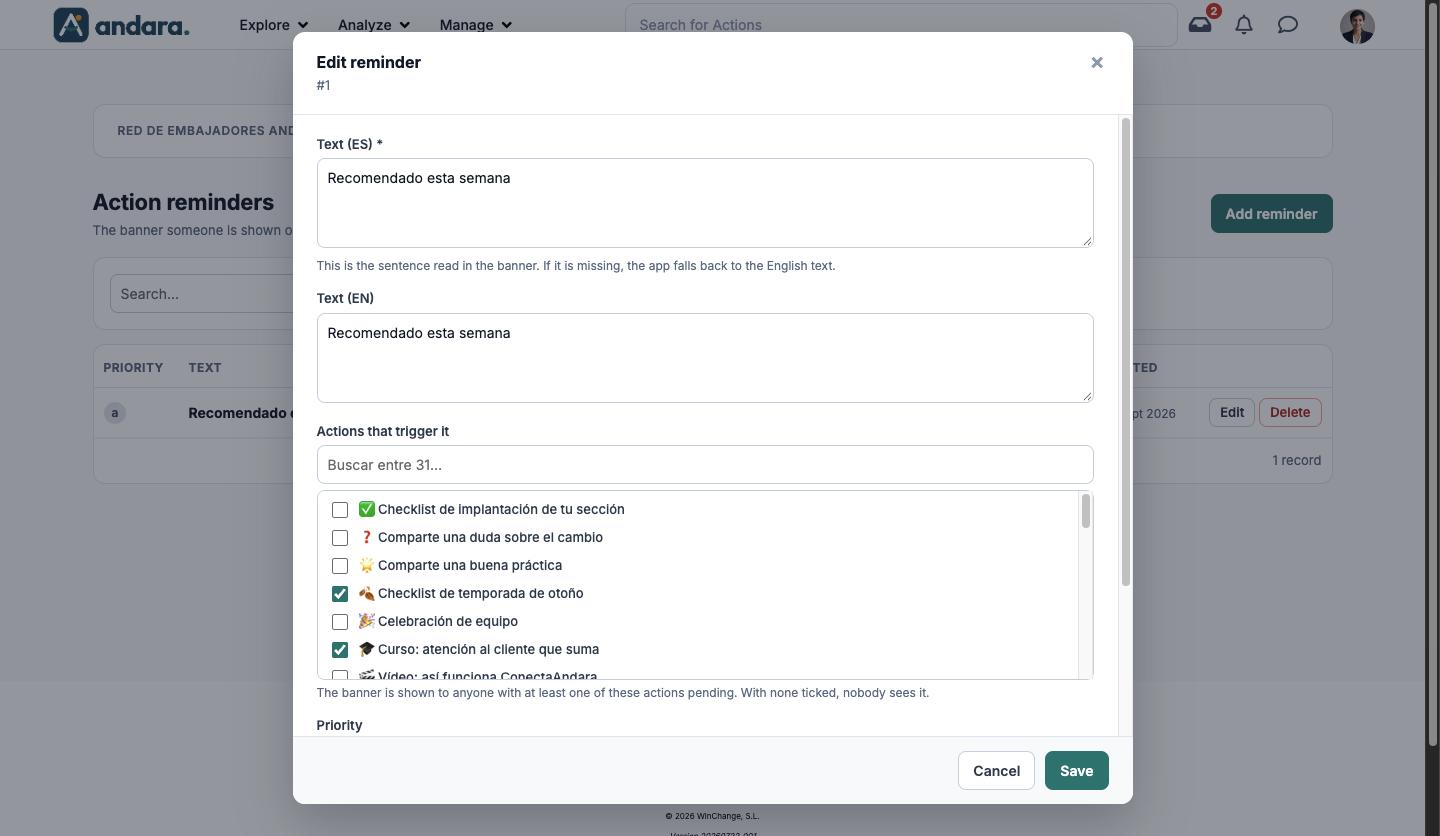
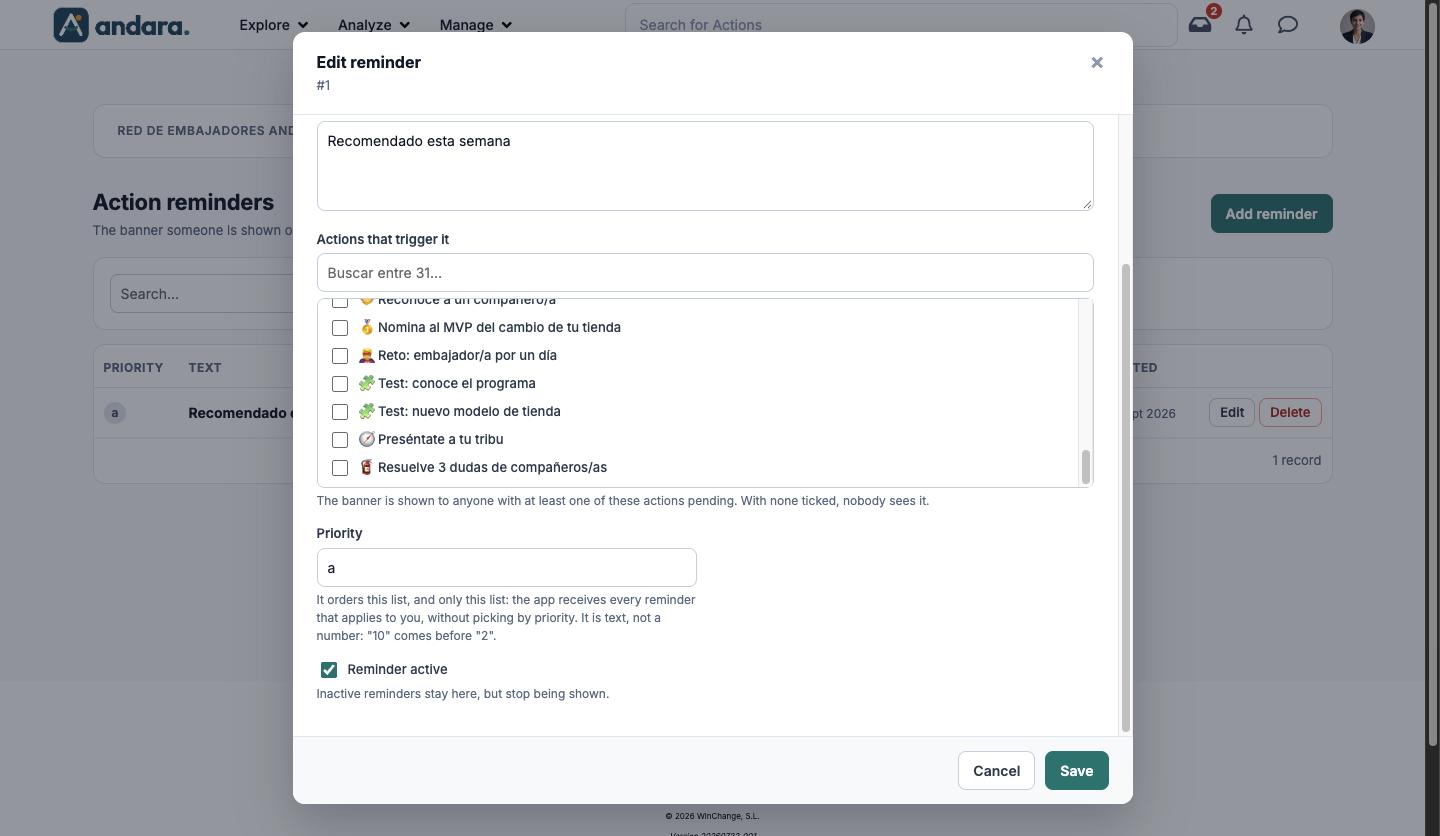
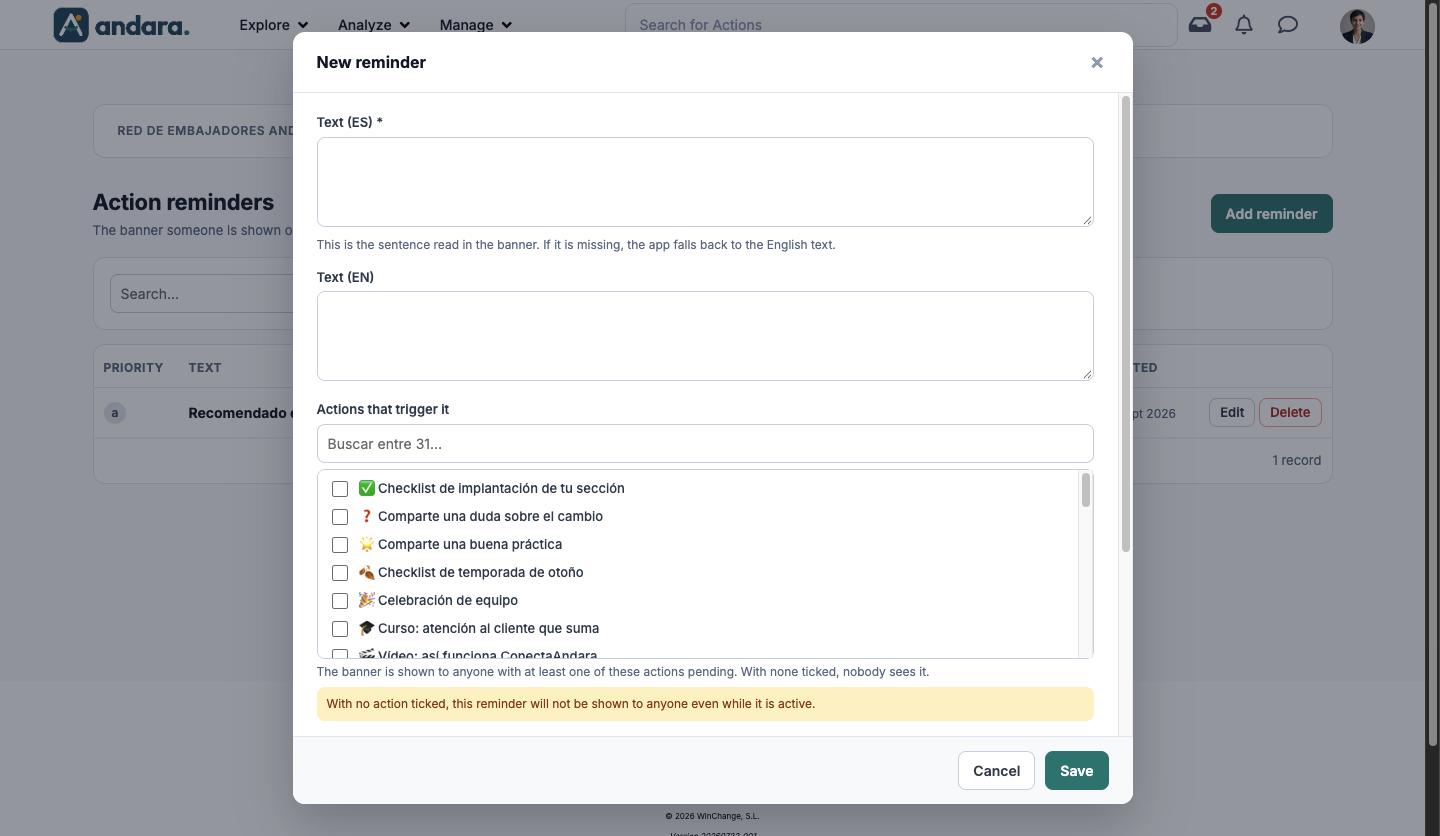
The form is the same to create (New reminder) and to edit (Edit reminder, with its number under the title).
| Field | What it does | Values |
|---|---|---|
| Text (ES) | The sentence read in the banner. If it is missing, the app shows the English text. | Text. Required. |
| Text (EN) | The sentence in the English version. | Text. |
| Actions that trigger it | The banner is shown to anyone with at least one of these actions pending. With none ticked, nobody sees it. It has a search box. | Tick boxes with the project's actions. Any number can be ticked. |
| Priority | Orders this list, and only this list: the app receives every reminder that applies to each person without picking by priority. | Text. Sorted as text: "10" comes before "2". |
| Reminder active | Inactive reminders stay in the list but stop being shown. | Tick box. Ticked by default. |
How to#
Create a reminder#
- 1
Open a blank form
Click Add reminder.
- 2
Write the sentence
Fill in Text (ES) and, if you have people using the app in English, Text (EN).
- 3
Choose the actions
Tick the actions you want to remind people about under Actions that trigger it.
- 4
Save
Leave Reminder active ticked and click Save.
Retire a reminder#
- 1
Open it
Click Edit on its row.
- 2
Switch it off
Untick Reminder active and click Save. It stops being shown but stays in the list under the Inactive filter.
Things to know#
- The reminder goes away on its own. It stops showing as soon as the person has none of its actions pending.
- Many actions, visible for a long time: one pending action is enough for the banner to keep showing.
- Priority does not decide which banner a person sees: it only orders this list.
- In the English app, the action search box still reads "Buscar entre…".
Related#
- Materials and action presentation: what reminders are for.
- Actions: the actions being watched.
- Attachments: the other support screen for actions.