What it is for#
This is where you set the project's streak: what is counted (weeks or days in a row with activity), how many have to be strung together and how many bonus points whoever manages it gets. It is what each person sees on the Home streak card.
The streak rewards consistency: not how much someone does, but that they keep doing it.
Where it is: Manage › Configuration › Streak.
What you see#
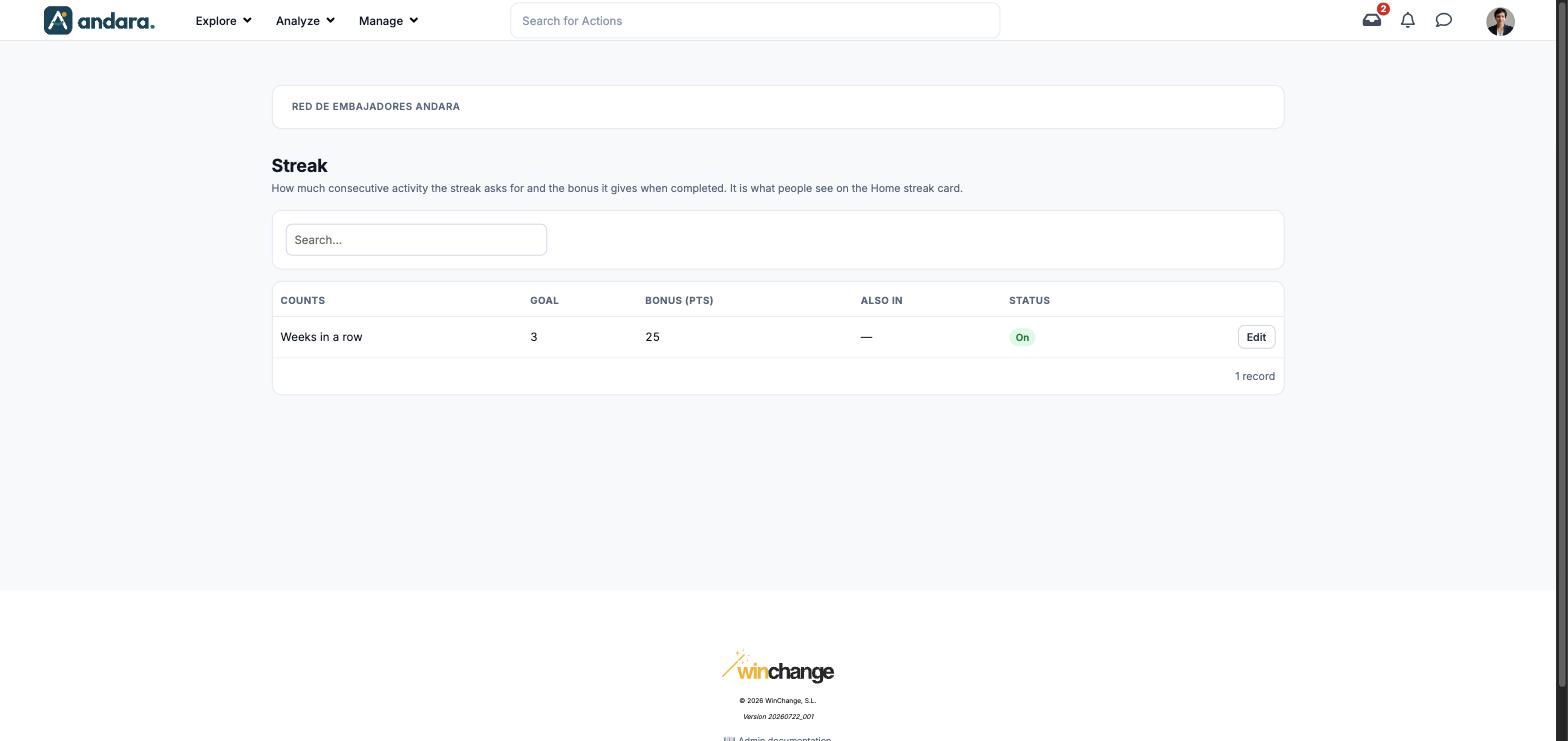
The name of the project you are in appears at the top. There is usually a single row: the project's streak.
| Element | What it shows |
|---|---|
| Search… | Filters the list as you type. |
| Counts | What is counted: Weeks in a row or days in a row. |
| Goal | How many consecutive periods have to be strung together. |
| Bonus (pts) | The points for completing the streak. |
| Also in | Other projects in the company that share this same streak. If any appear, what you change here affects them too. — if the streak belongs to this project only. |
| Status | On if the streak is switched on. |
| Edit | Opens the streak's form. |
Settings#
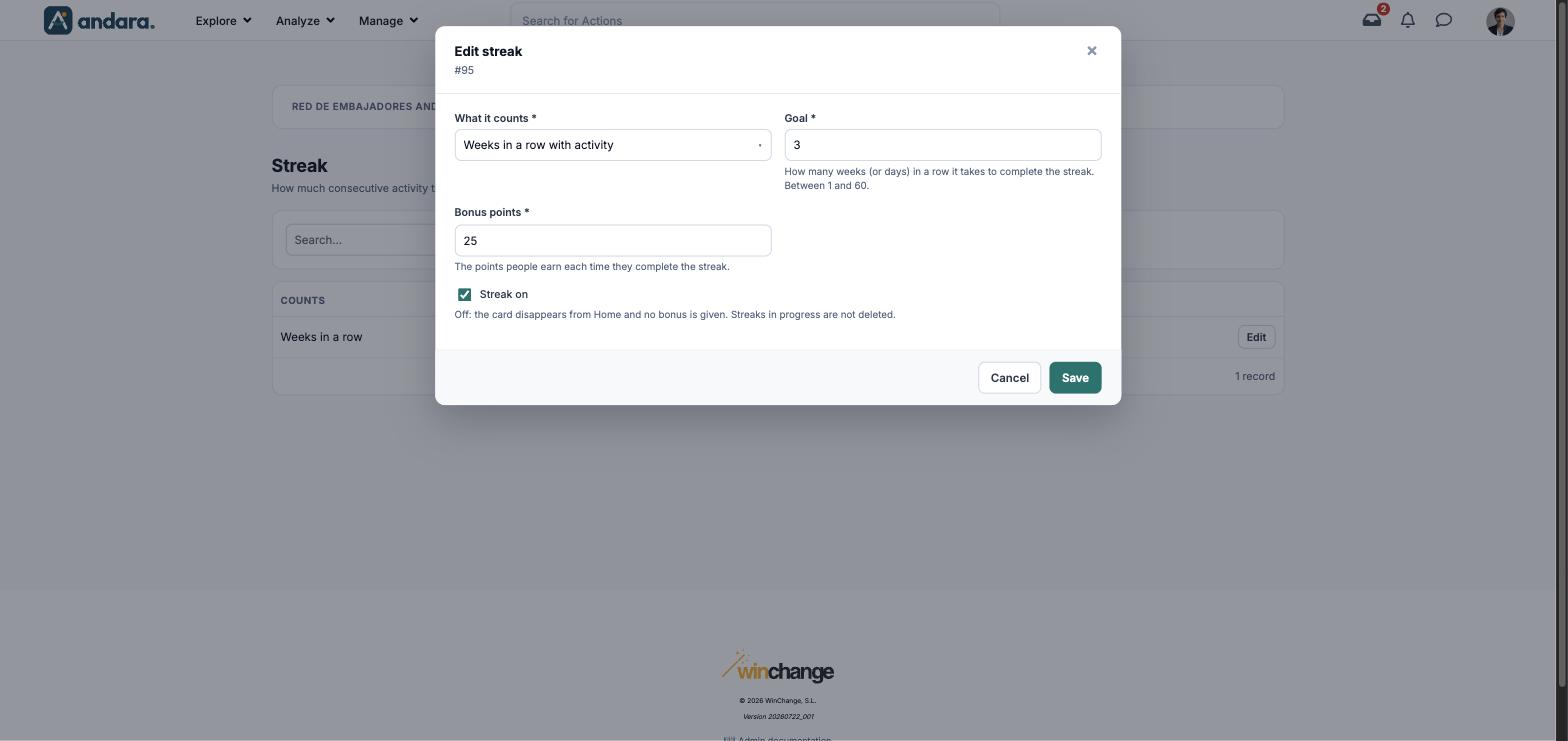
The form is titled Edit streak, with its number below.
| Field | What it does | Values |
|---|---|---|
| What it counts | The streak's unit. | Required. Weeks in a row with activity or Days in a row with activity. |
| Goal | How many weeks (or days) in a row it takes to complete the streak. | Required. Number between 1 and 60. Outside that range nothing is saved and an error message says so. |
| Bonus points | The points people earn each time they complete the streak. | Required. Number. |
| Streak on | When off, the card disappears from Home and no bonus is given. Streaks in progress are not deleted. | Tick box. |
How to#
Change the goal or the bonus#
- 1
Open the streak
Press Edit on its row.
- 2
Adjust the values
Change What it counts, Goal or Bonus points.
- 3
Save
Press Save.
Switch the streak off#
- 1
Open the streak
Press Edit on its row.
- 2
Untick it
Clear Streak on and press Save. The card disappears from Home; what each person had built up is kept.
Things to know#
- Check the Also in column before changing anything: if other projects share the streak, the change applies to all of them.
- The bonus is given every time someone completes the streak, not just once: with a low goal, a lot of points go out.
- A daily streak is much more demanding than a weekly one. One day without activity breaks it.
- The streak needs something to do in every period. If a journey ends, people lose their streak with no way to avoid it.
- Switching it off does not erase progress: when you switch it back on, ongoing streaks are still there.
Related#
- Points, badges and streaks: how the streak fits in the programme's economy.
- Level ladder: the project's other progress system.
- Company settings: the daily login points.