What it is for#
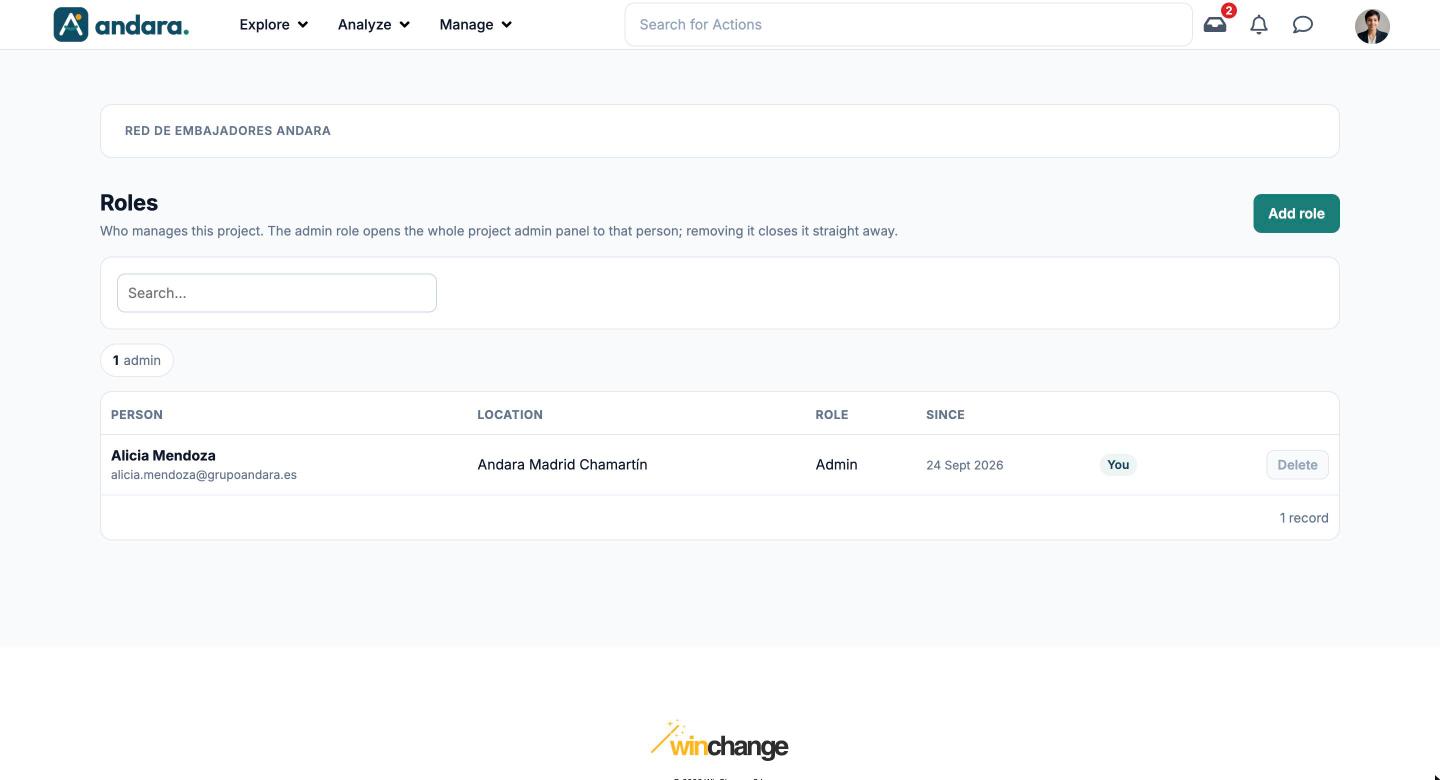
This is where you decide who manages this project. The admin role opens the project's whole admin panel to that person; removing it closes it straight away.
The manager role is not given here: whoever is listed as the manager of an organisation or a site gets it, in Organisations and Locations.
Where it is: Manage › Security › Roles.
What you see#
| Element | What it shows |
|---|---|
| Add role | Opens the form to give a person the role. |
| Search… | Filters the list as you type. |
| Counter | How many admins the project has. |
| Person | Name and email. |
| Location | Their workplace. |
| Role | The role they have, for example Admin. |
| Since | Since when they have had it. |
| You | Marks your own row. |
| Delete | Removes that person's role. On your own row it is greyed out: you cannot remove your own admin role. |
Settings#
Add role opens the New role form.
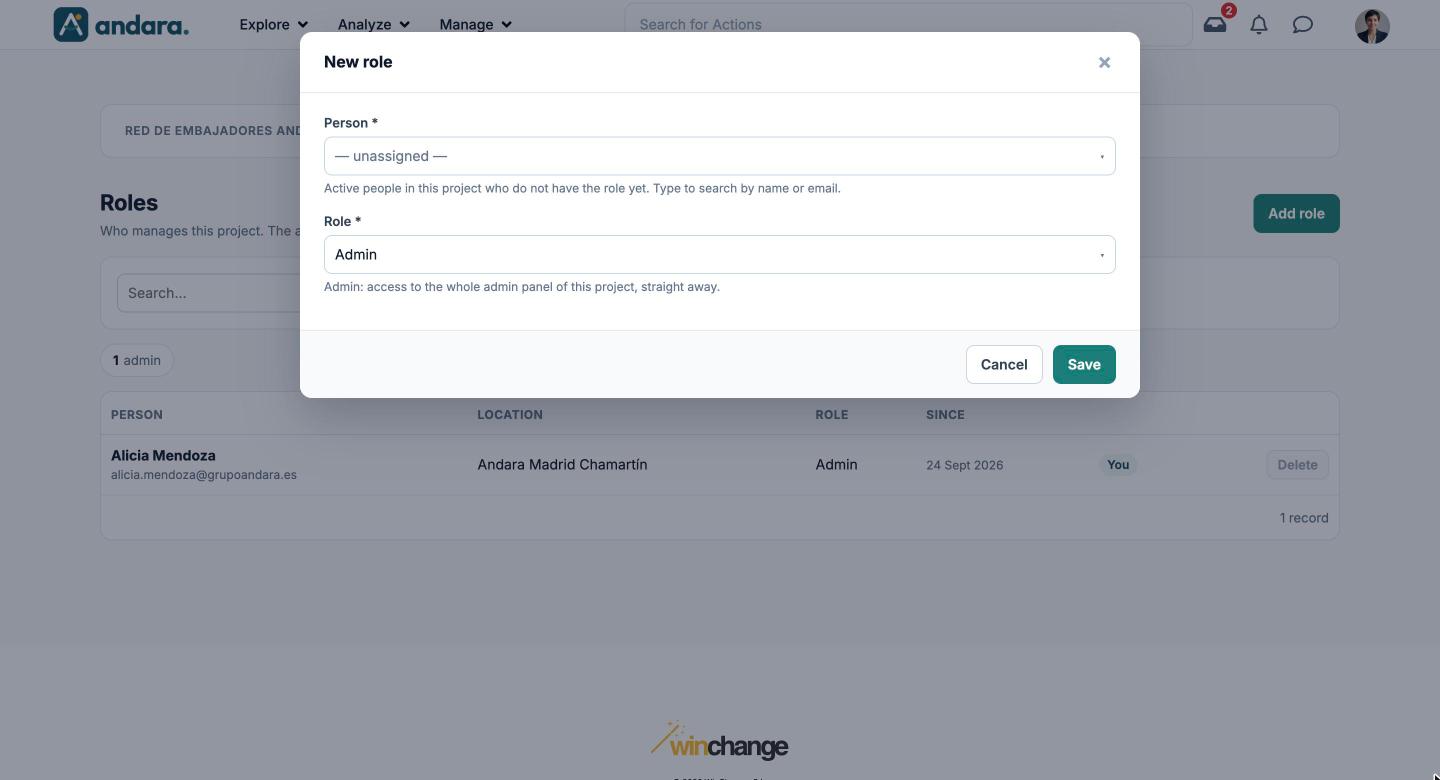
| Field | What it does | Values |
|---|---|---|
| Person | Who you give the role to. Type to search by name or email. | Active people in this project who do not have the role yet. Required. |
| Role | The role you give. Admin gives access to the whole admin panel of this project, straight away. | Admin. Required. Default: Admin. |
How to#
Make someone an admin#
- 1
Open the form
Click Add role.
- 2
Pick the person
Search for them under Person by name or email.
- 3
Save
With Admin under Role, click Save. They have access to the panel from that moment.
Remove someone's role#
- 1
Find them
Look them up in the list.
- 2
Remove the role
Click Delete on their row. They lose access to the panel straight away.
Things to know#
- Giving or removing the role takes effect straight away, as the screen itself says.
- You cannot remove your own admin role, because you would lose access. Another admin has to do it.
- The drop-down only lists active people who do not have the role yet. If someone is missing, check in Users that they can sign in.
- Always keep at least two admins in the project, so one can cover for the other.
Related#
- Users and access: roles, sign-ups and the life cycle of an account.
- Organisations and Locations: where the manager role is given.
- Security and auditability: access control.