What it is for#
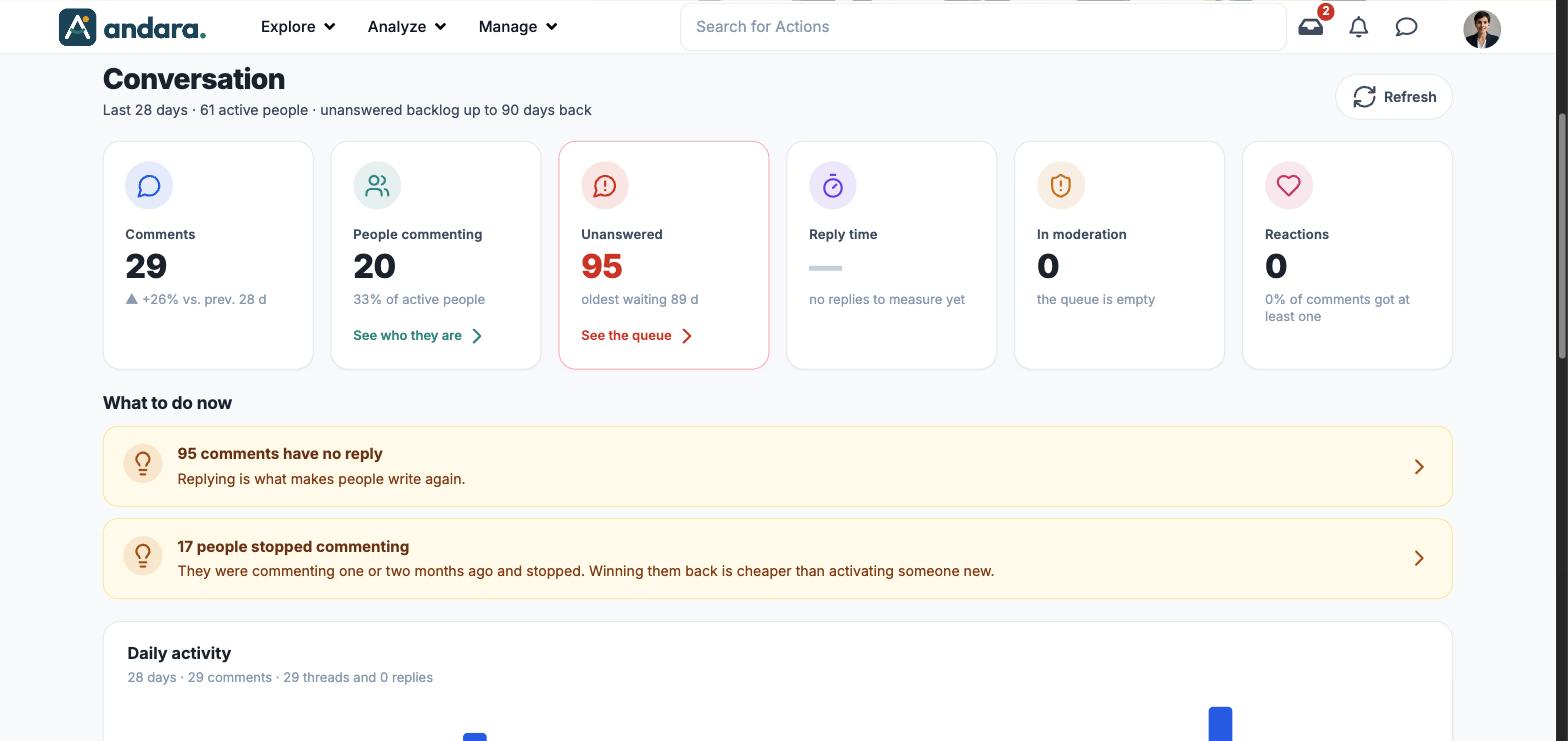
This screen measures what people write in the programme: comments on actions and news, replies, reactions and the moderation queue. It tells you whether there is conversation, whether anyone is looking after it and who you have lost along the way. The screen is titled Conversation.
Activity is measured over the last 28 days, but what is still unanswered is carried back up to 90 days: the subtitle says so.
Where it is: Analyze › Comments Dashboard.
What you see#
| Element | What it shows |
|---|---|
| Subtitle | The window (Last 28 days), the active people and how far back the unanswered backlog goes (up to 90 days back). |
| Refresh | Recalculates the screen. |
| Cards | Comments, People commenting, Unanswered, Reply time, In moderation and Reactions (see Metrics). |
| See who they are, See the queue | Links on the cards that open the list of people or comments behind them. |
| What to do now | Recommendations written from the data, for example how many comments have no reply or how many people stopped commenting. |
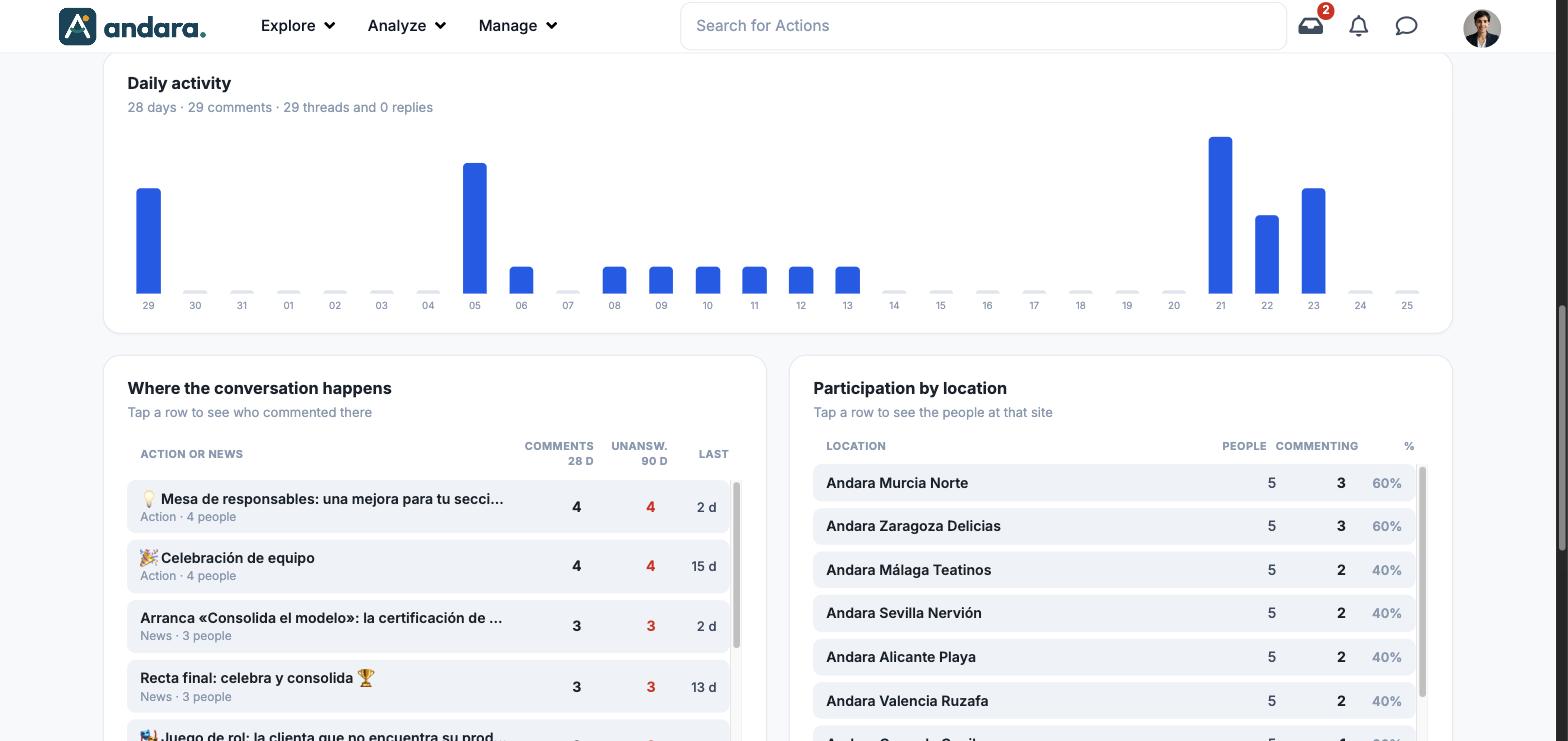
| Daily activity | Bars with the comments for each of the last 28 days. |
| Where the conversation happens | Table of actions and news with comments. Tap a row to see who commented there. |
| Participation by location | Table per workplace. Tap a row to see the people at that site. |
| Silence card | How many people stopped commenting, with See who they are. |
Metrics#
| Metric | What it measures | How it is calculated |
|---|---|---|
| Comments | The period's volume. | Comments in the last 28 days, with the change against the previous 28 days. |
| People commenting | How many different people take part. | People with at least one comment in the period, and their share of active people. |
| Unanswered | Comments nobody has replied to. | Unanswered comments from the last 90 days. Underneath, how many days the oldest one has been waiting. |
| Reply time | How long it takes to reply. | Empty ("no replies to measure yet") when there are no replies in the period. |
| In moderation | Messages held for review. | Number of messages in the queue. "the queue is empty" when there are none. |
| Reactions | Light interaction. | Number of reactions and the share of comments that got at least one. |
| Daily activity | The pace of the conversation. | Comments per day. The subtitle splits new threads and replies. |
| Where the conversation happens | Which content has something going on. | For each action or news item: Comments 28 d, Unansw. 90 d and Last (how long ago the last comment was). Under the name, whether it is an action or news and how many people commented. |
| Participation by location | Which workplaces talk. | People, Commenting and % for each workplace. |
| Silences | Who you have lost. | People who commented between 90 and 28 days ago and stopped. |
The list behind a metric#
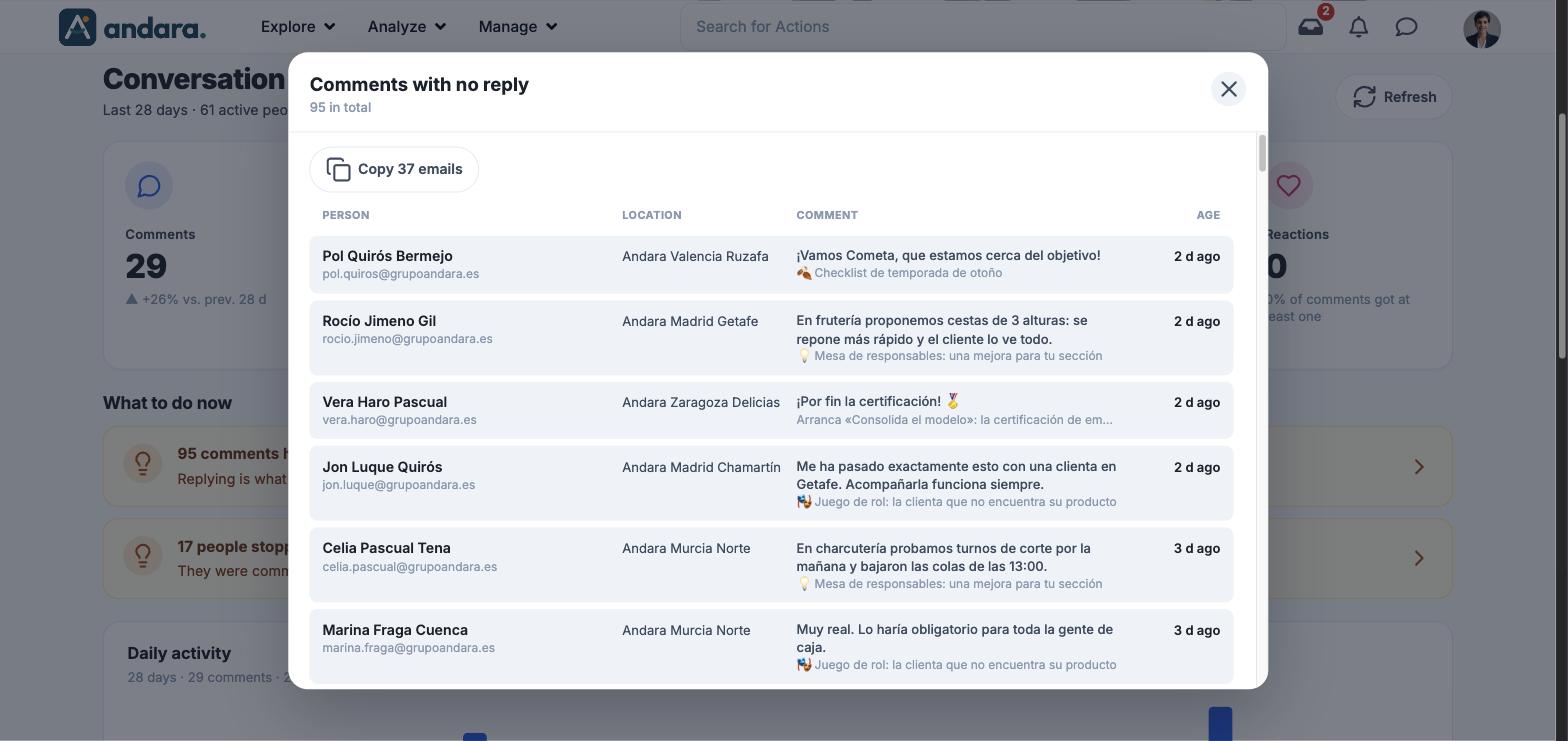
Clicking See the queue, See who they are or a table row opens a window with the list. At the top it has the title, the total and a Copy N emails button that copies those people's email addresses. The columns depend on what you open:
| List | Columns |
|---|---|
| Comments with no reply | Person (with email), Location, Comment (with the action or news item where it was written) and Age. |
| People who commented | Person, Location, Comments (in 28 and in 90 days) and Last (the last comment and how long ago). |
Filters#
The screen has no filters: it always looks at the project you are in, with a 28-day window for activity and 90 days for what is still unanswered.
How to#
Clear the unanswered queue#
- 1
Open the queue
On the Unanswered card, click See the queue.
- 2
Start with the oldest, or with the content with most backlog
The list shows where each comment was written. In Where the conversation happens, the Unansw. 90 d column tells you which action or news item has the most.
- 3
Reply where the comment is
The reply is written on the content itself, not on this screen. Click Refresh afterwards to see the figure go down.
Write to people who stopped commenting#
- 1
Open the list
On the silence card, click See who they are.
- 2
Copy the emails
Click Copy N emails and paste them into your email.
Things to know#
- Activity looks at 28 days and the backlog at 90. Each column is labelled: do not compare them with each other.
- An empty Reply time is not zero: it means there are no replies to measure.
- Nothing is replied to or sent from here. The screen gives you the list; replying and writing happen elsewhere.
- Workplaces depend on each person's profile having a location.
Related#
- Comments dashboard: how to read the conversation.
- Comments and Inbox: where comments are moderated.
- Analytics and reports.