Integrations
WinChange connects to what your company already uses.
People and structure arrive from your systems. Challenges show up where your team works. And what people learn or do in other tools earns points. No extra password and no manual lists.
From your systems
Where your team works

WinChange
Challenges, evidence and rewards
Connect your systems
People arrive on their own, and the data comes back.
WinChange reads what it needs from your directory and your HR system, and returns what happens in the programme.
Single sign-on (SSO)
Your team signs in with the company account, on the computer and on the phone.
Joiners, leavers and changes
Joiners get their onboarding. Role changes and leavers come from your system. Nobody keeps lists.
Sites, units and managers
The structure decides who sees each challenge, who confirms it and who competes with whom.
Job roles
Each group has its own journey. Changing role changes the challenges.
Data into your reports
Participation, progress and recognition, for your HR system or your dashboards.
Where your team already works
WinChange, inside the apps people already open.
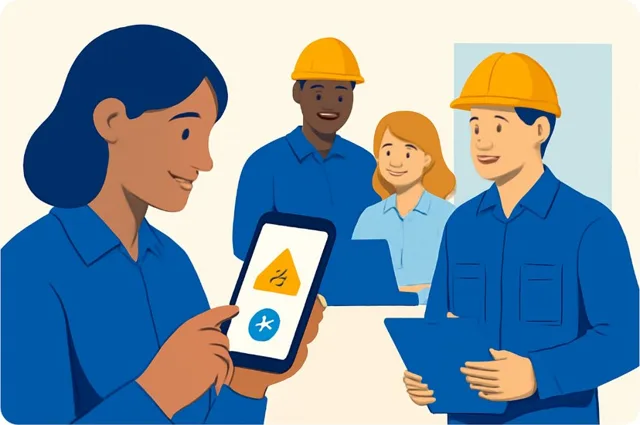
The same programme, the same points and the same dashboard, in the app each person has open. On the computer and on the phone.
One more app in the Teams bar, with alerts in the activity feed.
- Challenges, confirmations and thank-yous without leaving Teams
- Alerts for new challenges and confirmed evidence
- With each person's Microsoft account
Content and adoption
What people learn and do elsewhere counts too.
WinChange opens the course at the right moment and rewards what happens outside WinChange.
Your LMS courses, inside challenges
The content stays where it is. WinChange puts it in a journey and adds the practice and the evidence.
1The course is taken without leaving the challenge
2It's applied on the job, with a photo or a document
3A colleague confirms it and the points add up
What people do in other tools, rewarded
Every behaviour that matters has its signal and its reward.
CRM (Salesforce, Dynamics 365)
Closing a deal with a complete record
Moves to won with the key fields filled in
30 points and the "Clean data" badge
Support (ServiceNow, Jira)
Solving it with an article others reuse
Ticket resolved with a linked article
20 points and a thank-you on the wall
HR (Workday®, SuccessFactors)
Setting the first goal of the year
Goal saved, without its content
25 points and the next step of the journey
AI assistant (Microsoft 365)
Solving a real task with AI
Evidence of before and after
20 points and access to the expert challenge
LMS (Moodle™, Docebo)
Finishing the course and applying it that week
Course passed and photo confirmed
45 points in two steps
Your own application
Logging the visit on the same day
Webhook call
Weekly streak with a team prize
The list
What WinChange connects to.
With your company's credentials and the permissions your IT team approves.
Identity and access
To sign in and to keep access up to date.
Microsoft Entra ID
Single sign-on, joiners and leavers
Google Workspace
Single sign-on, people and units
OpenID Connect
Single sign-on with your provider
SAML 2.0
Single sign-on with your provider
SCIM 2.0
Joiners, changes and leavers
HR
People, roles, sites and managers.
Workday®
People, roles and structure
SAP SuccessFactors
People, roles and structure
Personio
People, joiners and leavers
Sesame HR
People, sites and roles
Kenjo
People, sites and teams
Scheduled file
For any other system
Content and learning
Courses inside challenges, and the result back.
SCORM
Courses inside the challenge
xAPI and cmi5
Learning, inside and outside
LTI 1.3
Open the course from the challenge
Moodle™
Courses and completion
Docebo
Courses and completion
LinkedIn Learning
Completion, with your licence
360Learning
Courses and completion
TalentLMS
Courses and completion
Cornerstone
Completion, with their API contracted
YouTube and Vimeo
Video inside the challenge
Work tools
WinChange inside, or the signal of what got done.
Microsoft Teams
WinChange inside, plus alerts
SharePoint and Viva Connections
WinChange inside
Microsoft 365
Adoption, with company permission
Salesforce
Deals won
Dynamics 365
Deals won
HubSpot®
Deals closed
ServiceNow
Tickets resolved
Jira
Issues done
Slack and Google Chat™
Alerts
Power Automate and Zapier
Any other signal
Power BI
Programme data
Using something else? If it has an API, a webhook or can export a file, tell us and we'll look at it with you.
Each one, in detail
WinChange with your HR system →
Single sign-on, joiners and leavers, sites, roles and managers from your systems.
WinChange inside Microsoft Teams →
Challenges, confirmations and recognition without leaving Teams, on desktop and mobile.
WinChange on the intranet →
A block on the SharePoint home page and a card in Viva Connections.
WinChange with Workday →
Challenges on the home page and among the tasks, and points for what gets done in Workday.
WinChange with your LMS and content →
The courses you already have, inside challenges that end in something done on the job.
WinChange to get your tools adopted →
What people do in the CRM, in support or with AI earns points in WinChange.
Frequently asked questions
Integrations: what IT asks.
The minimum: name, identifier, site, unit, role and manager. Your team approves the list. No salary, ID document or health data needed.
What should WinChange talk to in your company?
In 30 minutes we go through your systems and tell you what can arrive on its own and what can come back.
The trademarks mentioned on this page, such as Microsoft, Microsoft Teams, SharePoint, Viva, Workday®, SAP, Salesforce, HubSpot®, Google™ or Moodle™, belong to their respective owners and are named only to show what WinChange connects to. WinChange is an independent company: it is not affiliated with, sponsored by or endorsed by them. Sample screens, with a made-up company and people.